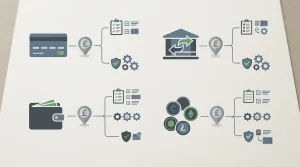


A practical guide to checking payment methods, transaction terms and screen usability, and verifying game and withdrawal options before depositing.
Check the Cashier Before You Play on Your iPad
A casino page can look polished on an iPad and still be a poor practical fit once you reach the cashier. Before you deposit, open the operator’s live cashier while signed in and check what it actually shows for your account. The cashier is more useful than a general payment page because the options and controls presented there are the ones available to you at that moment.
Start by locating the deposit area and checking that it works clearly on your screen. You should be able to identify the available methods, enter an amount and review the terms before confirming anything. If a button is difficult to reach, information is cut off, or a key condition is hard to read, pause rather than relying on a desktop description or an old screenshot. The practical question is whether you can understand the transaction before you authorise it.
A specialist review advises players to use the current cashier to confirm the minimum deposit, the maximum transaction value and any fees. Treat those details as account- and method-specific, not as fixed features of every iPad casino. Open the cashier and inspect the figures attached to the option you intend to use. If the displayed amount or fee is unclear, do not proceed until the operator’s own information explains it.
The cashier is also where you can see whether financial controls are available on your account. Check for the limit settings before adding funds, and make sure you can find the controls again later. A limit is only useful if you understand what it applies to and can manage it from your account. If the setting is hidden behind an unclear menu or its effect is not explained, look for the operator’s help information before depositing.
Keep this check separate from deciding which payment option sounds attractive. At this stage, you are assessing whether the account and its cashier are workable on your iPad: can you see the terms, find the relevant controls and review the transaction details without guessing? The choice of payment method is a separate decision, and availability should be confirmed in the live cashier rather than inferred from a general claim about mobile play.
Mobile top-up casino payments in the UK
Check whether the cashier shows a route for withdrawals as well as deposits. A specialist review recommends verifying that the method you use to add funds can also be used to withdraw, but availability can depend on the operator and account. Do not assume that a deposit option automatically provides a matching payout route. If the cashier does not make the position clear, read the current withdrawal terms or ask customer support before funding the account.
An iPad does not remove the need to check the account details attached to a transaction. Make sure the account information and the payment information correspond, and read any confirmation screen before submitting it. A saved payment option may be convenient, but it is still worth checking the amount and conditions each time. If the cashier takes you to a page where the final cost or transaction value is not apparent, stop and seek clarification instead of tapping through.
You can also use the cashier to judge whether the operator gives you enough information to make a considered decision. Look for clear explanations beside the deposit controls, accessible account-limit settings and terms that match what the cashier displays. If those details conflict, avoid treating the more appealing version as definitive. Ask the operator to resolve the discrepancy, and wait for a clear answer before depositing.
When considering an iPad casino app or a site opened in the browser, apply the same check. The way you reach the account does not establish which deposit options or controls are available. Sign in, open the current cashier and examine the information shown there. If you switch between an app and a browser, check the account’s live details again rather than assuming that every screen presents the same options.
A brief pre-deposit check can prevent avoidable uncertainty later: confirm the transaction boundaries and fees, find the financial-limit controls, and establish whether a withdrawal route is available for your account. These are practical checks, not a promise that a casino will suit every player. If the cashier leaves you unsure about any of them, leave the deposit unconfirmed until you understand what the operator is offering.
Pre-Deposit Cashier Check
- Open the live cashier while signed in
- Verify that deposit buttons and fields work clearly on your screen
- Confirm the minimum deposit, maximum transaction value, and fees
- Locate and test the financial limit settings
- Check if a withdrawal route is available for your account
Recommended online casinos
- x3betBonus: Welcome Pack 100% Up to £1.000 + 200 Free Spins · Payout speed: 1-3 business days
- NightWinBonus: £900 + 400 free spins · Payout speed: 1-3 business days
- WinBeastBonus: €5000 + 500 FS + €650 Freebet · Payout speed: 1-3 business days
- DieselwinBonus: Welcome Pack 250% up to £4000 + 200 FS · Payout speed: 1-3 business days
- ChanzeBonus: Slots Welcome Bonus #1 200% up to €500 · Payout speed: 1-3 business days
- Revery PlayBonus: 100% up to€1,000+ 100 FS · Payout speed: 1-3 business days
UK Rules and Account Checks for iPad Casino Play
Using an iPad does not change the rules that apply to remote gambling in Great Britain. If you are considering an online casino, the legal framework is about the operator and the way gambling is funded, not whether you are using a tablet, phone or computer. Remote operators serving customers in Great Britain need the relevant UK Gambling Commission licence.
A key payment restriction is that a licensed remote gambling operator must not accept a credit card for gambling. That prohibition still applies if the card payment is channelled through a money service business rather than sent directly to the casino. Changing the route does not turn credit-card funds into an acceptable gambling payment.
That matters when you are choosing how to fund an account from an iPad. Do not use a credit card through an intermediary, wallet or other service as a way around the restriction. If you are unsure whether a payment is being funded by credit, check with the provider and the casino before proceeding. The important distinction is the source of the money, not simply the name or appearance of the payment option on screen.
The restriction is not a device setting that can be bypassed by switching browsers or moving from an app to a website. Nor does a casino’s payment screen make a prohibited source acceptable. If you see a payment route that leaves you uncertain about whether credit is involved, pause rather than assuming that the route is permitted. A brief check before committing funds is easier than trying to resolve confusion after a transaction.
Pay by Phone Casinos UK: Payment Checks
There is a separate account safeguard for people joining a remote gambling service. Before a new customer makes a first deposit, the operator must prompt them to consider setting a financial limit. This is a prompt to think about the amount you are prepared to spend, rather than an instruction that you must choose a particular figure. Take time to decide what is manageable for you before you put money into the account.
On an iPad, the prompt may appear during registration or around the point at which you are preparing to deposit. Read it rather than tapping through automatically. A small screen can make account notices easy to overlook, especially if you are moving quickly between pages. If the wording is unclear, stop and find the account controls or help information before continuing. You should be able to make an informed choice about whether to set a limit.
Limit controls are not meant to be a one-time screen that disappears after your first deposit. Account-level facilities for setting financial limits must remain accessible afterwards. This gives you a way to review your decision and use the available controls later, rather than relying only on what you selected when opening the account. If you cannot locate those facilities, check the account area or contact the operator before depositing.
A limit can help make your own boundary explicit, but it does not alter the payment restriction. These are different protections: one concerns the source of gambling funds, while the other asks you to consider how much you are willing to spend. Neither should be treated as a substitute for the other. An account limit does not make a credit-funded payment acceptable, and using an allowed payment route does not remove the need to consider a financial limit.
Credit Card Ban
Licensed remote gambling operators in Great Britain must not accept credit cards for gambling, including payments channelled through intermediaries or wallets.
When reviewing an iPad casino, keep these checks practical. Confirm that the operator is authorised to serve customers in Great Britain, understand the source of any payment you plan to use, and look for the financial-limit prompt before your first deposit. If a payment route is unclear, or the account controls are difficult to find, resolve that uncertainty before adding funds. You do not need to make a decision simply because the deposit screen is open.
These safeguards apply to remote casino play across devices. An iPad may make it easy to move from browsing to an account screen, but the same care is needed at each stage: know whether the funding source is permitted and consider a financial limit before the first deposit. After that, the account-level controls should remain available for you to revisit.
Finding iPad Casino Games Without Relying on Unverified Lists
A list labelled “best casino apps for iPad” can look useful while leaving the important details unclear: whether an app is actually available to you, who provides it, and whether it offers the kind of play you want. Treat rankings as starting points, not proof that a particular casino or slot app is suitable.
First, distinguish a casino operator’s app from a game you can play through a website. A page may use “app” loosely, even when it is describing a mobile site rather than a separate iPad application. Before installing anything, check the current listing in the App Store and confirm that the developer name matches the operator’s own information. If the operator directs you to its website instead, read what it says about using the service on an iPad rather than assuming that an app exists.
The same care applies to lists of slot apps. A ranking may combine standalone games, casino platforms and links to browser-based play. Those are not interchangeable. Check whether a listing identifies the actual product and its publisher, and whether the operator explains how the game is accessed on an iPad. If those details are absent or do not match, do not treat the listing as confirmation.
Best Instant Withdrawal Casinos UK: How Payouts Work
For real-money play, the operator matters as much as the game. Online gambling is legal in the UK only through sites holding a current UK Gambling Commission licence. Check the operator’s licence information and make sure it relates to the service you are considering; a familiar name in an app listing alone does not establish that. Operators must verify your age before allowing you to deposit, so a service that invites you to deposit without the required age check should not be treated as a legitimate option.
Searches for free casino apps or free slot games need a separate check. “Free” can describe a mode within a casino, a standalone game, or an app that also offers paid or real-money features. Read the app description and the operator’s terms to understand what is being offered. Do not infer that a free-play version is available simply because a result uses that wording, or assume that its contents match a real-money casino catalogue.
On an iPad, it is also sensible to check that the listing and the operator’s instructions refer to your device, rather than a different kind of phone or tablet. Look for clear information about access, account requirements and any limits that apply to the service. If you cannot establish who provides the app or how it connects to the operator, leave it alone instead of relying on a copied description or an old recommendation.
Be cautious with articles promising a definitive “best” selection. App availability and casino catalogues can change, and a named title in an older list may no longer be offered in the same way. A useful recommendation should let you verify the product, provider and route to play for yourself. Without that, a confident ranking gives you little basis for choosing.
This approach will not produce a universal favourite, because the right option depends on what you want to play and how the operator makes it available on your iPad. It does help you separate a genuine, current listing from a vague claim, and avoids treating a search result as confirmation that a particular game or app is available.
Casinos That Accept Boku in the UK: What to Check
How to Compare iPad Casinos’ Deposit Options
A casino that works on an iPad is not automatically a good fit for the way you want to deposit. Compare the payment choices offered by the particular operator, rather than treating a general list of methods as a promise that they will be available to your account.
Current independent specialist reviews report Visa, Mastercard, Skrill, Neteller and PaysafeCard, as well as several major cryptocurrencies, among casino payment options. That is a useful starting point for deciding what to look for, but it is not confirmation that any one casino accepts them. Payment arrangements can differ between operators and change over time, so check the chosen casino’s own cashier before deciding.
Compare like with like
Start by grouping the options according to what you would need to use them. Visa and Mastercard are card brands; for gambling deposits in Great Britain, the relevant option is a debit card, not a credit card. Skrill and Neteller are e-wallets, while PaysafeCard is a separate prepaid option. Reviews may also mention cryptocurrencies, but do not assume a particular currency or payment service is supported unless it appears in the casino’s current cashier.
Then consider what each available route means for you in practice. Do you already have an account or card you can use? Would you need to create a separate payment account, obtain a voucher, or manage a cryptocurrency balance? A method that looks suitable in a review may be impractical if you do not already use it. On an iPad, also check that you can complete any required sign-in or confirmation steps without leaving the payment process unclear.
The point is not to declare one method best for every player. Your useful comparison is between the methods actually displayed by the operator and the arrangements you are prepared to use. A short list of confirmed options is more relevant than a longer list copied from a general review.
Check the details at the casino
Open the cashier while signed in, and inspect the deposit choices shown for your account. Confirm that the method is available in your location and for your account details, and read the information presented before submitting a payment. Do not rely on a logo on a promotional page or an old review as proof of current acceptance.
Do
- Group options by type (e.g., debit cards, e-wallets, prepaid)
- Check the live cashier while signed in
- Compare terms shown beside each specific method
Don’t
- Rely on logos on promotional pages
- Trust old reviews as proof of current acceptance
- Assume a deposit method automatically works for withdrawals
The cashier is also where to check the minimum deposit, maximum transaction value, any fee, and whether account financial-limit controls are available. These details may vary by method, so compare the terms shown beside each option rather than assuming that one set of conditions applies to all deposits. If an important detail is not clear, pause and ask the operator before paying.
Keep the deposit and withdrawal questions separate. A method displayed for adding funds does not by itself establish that you can use it to receive a withdrawal. Check the casino’s current information for the route that would apply to your account; do not choose a deposit option on the assumption that it works both ways.
Make a choice you can explain
Before confirming, be able to identify the payment method, the amount being charged and the conditions shown by the casino. If the cashier displays several options, compare them on those points rather than on a claim that one is the leading choice for iPad play. Reviews can help you recognise names to look for, but the live options and terms at your chosen casino are the practical basis for a decision.
This approach also helps separate device compatibility from payment availability. An operator’s site may open on an iPad while a particular payment route is absent from its cashier or unsuitable for your account. Verify the actual option on the device you intend to use, and proceed only when the displayed terms are clear.
USDC Casinos in the UK: What the Evidence Shows
Pay-by-Mobile Deposits on an iPad: What Payforit Means
Payforit is a pay-by-mobile option, not a way to move money both into and out of a casino account. If it appears in the casino’s current cashier on your iPad, the deposit is charged either to your monthly phone bill or to your Pay as You Go balance. Its availability should be confirmed there rather than assumed from a general description of the casino or its app.
To make a deposit, select Payforit in the cashier and enter your mobile number. You then receive a confirmation code by text message; submit that code to approve the transaction. Check the details on the confirmation screen before proceeding, especially that you are using the intended number and that the amount is correct. On a contract phone, the charge is added to a future bill. With Pay as You Go, it comes out of your prepaid balance.
A specialist payment review reports a £30 ceiling per Payforit transaction under the Phone-paid Services Authority’s limit. Treat that as a per-transaction restriction, not as a promise that every casino will let you deposit that amount. The casino’s own cashier may set a lower maximum, and Payforit must be offered there for you to use it at all. Do not try to get around the transaction cap by splitting deposits; check the operator’s terms and choose another listed payment option if the stated limit does not suit your needs.
The main point to understand before paying is that Payforit cannot be used to withdraw casino funds. A successful deposit does not mean the same route will be available when you want to receive a balance. If you deposit this way, you will need to provide a bank account, e-wallet or another verified payment source for a withdrawal. Confirm that the operator accepts the route for your account and that your account details meet its requirements.
One-Way Route
Payforit is a deposit-only option; it cannot be used to withdraw casino funds to your mobile account.
That separation matters when you are using an iPad: the screen you use to make a deposit does not determine the method available for a payout. Before approving a Payforit charge, make sure you understand how the amount will appear on your phone account and how you would receive any withdrawal. If the cashier’s wording is unclear, pause and check the operator’s current terms rather than treating a phone-billed deposit as cash that can be returned to the same balance.
Payforit can be useful when you want a deposit charged to your mobile account, but it is a one-way route for casino funds. Use it only when the cashier offers it and you are comfortable with the separate arrangements required for withdrawals.
Real-Money Play: Check Limits, Fees and Processing Times
Playing for real money on an iPad does not make payment conditions uniform. The amount you can deposit, any transaction fee and the time a payment takes depend on both the casino’s current cashier and the method you select. Treat figures found elsewhere as a starting point, not a promise about what your account will be offered.
A specialist review notes that public banking information does not provide stable, UK-specific figures for casino withdrawal limits, fees or processing times. The live cashier is the more useful reference because it shows the options and conditions currently attached to the operator’s payment process. Before confirming a transaction, read the details shown for that method rather than relying on an old comparison or a general statement about a payment brand.
Check deposits and withdrawals separately. A displayed deposit limit does not tell you what you can withdraw, and a fee or processing estimate for one method may not apply to another. The cashier may also present different terms for different methods. A specialist review reports that minimums, maximums, fees and processing times depend on the selected method and the cashier’s current information; withdrawal conditions can change as well.
Casinos That Accept Monzo in the UK: Payment Guide
That matters when you are comparing real-money casino access on an iPad. A payment option that appears in an article or an older review may no longer be available, or its current limits and charges may differ. If the cashier does not make a term clear, check the operator’s current payment information before proceeding. Do not assume that a figure from a previous visit still applies to a later deposit or withdrawal.
For a deposit, confirm the minimum and maximum shown for the chosen method, along with any fee and the stated processing information. For a withdrawal, review the equivalent details independently. Keep in mind that processing descriptions can refer to different stages of a payment; read the operator’s wording rather than treating a general estimate as a guaranteed arrival time.
Published figures can help you identify what to ask, but they cannot replace the live details presented for your account. If you are considering an iPad casino for real-money play, pause at the payment screen and check the current terms before authorising a transaction. That simple step helps prevent an unexpected fee, an unsuitable transaction limit or a mismatch between the timing you expect and the information the operator actually provides.
Casino Games on iPad: What Can Be Verified
A game appearing in a general online list does not establish that it is available on your iPad, at a particular casino, or in your account. Treat claims about the best iPad casino games or a complete catalogue cautiously unless you can confirm the title in the operator’s own games lobby and open its information page.
Check the game from the iPad you intend to use. The lobby can show whether a title is currently offered, while opening it lets you see whether it loads and whether its controls and text are usable on your screen. A game that appears in a promotional image or a third-party article is not the same as one you can actually access. If the title is absent from the casino’s own lobby, do not rely on an outside list to confirm availability.
Ukash at UK Casinos: Payment Alternatives and Checks
For slot games, check the specific title rather than assuming that every slot works in the same way on an iPad. Britain’s rules prohibit autoplay for online slots, and each spin must last at least two and a half seconds. Those requirements concern how the game operates; they do not confirm that a particular slot is offered or compatible with your device.
An “iPad casino games list” can also become misleading when it combines titles from different operators. Before choosing a game, make sure the listing identifies the casino where it is available and compare it with that casino’s current lobby. If you cannot verify the title there, treat the claim as unconfirmed.
The same care applies when a page labels games as among the top or best for iPad. Those descriptions do not establish a ranking or prove that the games are accessible to you. Check the operator’s own listing and the game itself, rather than relying on a broad recommendation. This keeps the decision grounded in what you can confirm on your device, without assuming that a published list represents a reliable catalogue.
Before You Deposit: Check the Withdrawal Route
A deposit can be straightforward while getting money back raises a separate question: which payout route is available to your account? Before using an iPad for real-money casino play, check the withdrawal page and terms, rather than assuming the method you use to pay in will also work for a payout.
A specialist review advises players to confirm their account’s available withdrawal route, any identity checks still outstanding and the operator’s current terms before depositing. These details can affect whether you are ready to request a withdrawal. If the casino needs identity documents, find out what is required and whether your account has completed those checks. Read the terms for any conditions that apply to withdrawals, and make sure the route shown is one you can use.
Some casinos outside the UK require you to withdraw through the same method used to deposit. That condition is not a reason to assume every casino follows the same process; check the operator’s own current rules. For a UK-licensed casino, a specialist review describes possible withdrawal routes as debit card, bank transfer, PayPal or an e-wallet such as Skrill or Neteller. Availability depends on the casino and your account, so treat that as a set of possibilities to verify, not a promise that every option will appear.
Casinos that accept eCheck in the UK: how to check
This check matters whether you are using an iPad-friendly casino site or an app. A smooth deposit screen does not tell you which payout options are enabled, whether your account needs further checks, or what the current terms require. Confirm those points before you commit funds. If the cashier does not clearly show a route that suits your account, contact the operator for clarification before depositing.
Keep the distinction between depositing and withdrawing in mind when assessing real-money slots on an iPad: access to games does not establish that a payout route is ready. Withdrawal readiness is an account and operator question, not a feature you can infer from the device or the game catalogue.
Free Slots on iPad: Avoid Assuming a Verified Selection
Free slot games can be played in a browser or through an app, but an iPad search result is not proof that a particular title is available, compatible or genuinely free to play. A page may describe a broad collection without showing which games work on your device. Check the operator’s own game lobby and the game’s information before opening it.
“Free” can also describe different things. A game may offer play without a cash stake, while another may be a demo that does not support real-money withdrawals. Read the on-screen description so you know whether you are playing with virtual credits and whether any purchase or account action is involved. Do not assume that a free mode will remain available in the same form across an app and a website.
If you want to try slots without downloading anything, use the casino’s website in your iPad browser and check whether the game opens and runs as described. A title shown in a promotional page may not appear in the live lobby, and an app-store listing alone does not establish that it is a casino’s current offering. Avoid installing software from an unfamiliar source or treating a list on another site as confirmation.
Free play is not a way to establish what real-money play will feel like or what it might cost. If you move from a demo to gambling for money, use a UK-licensed operator and consider an account financial limit before your first deposit. The main point is to verify the specific game and its free-play terms on the operator’s own service, rather than relying on a title list that may be out of date or unclear.
Live Casino and Blackjack on iPad: Verify Availability First
If you want to watch a live dealer or play blackjack on an iPad, do not assume that a casino’s general games page confirms either option will work on your device. Live tables and blackjack are separate things to check: an operator may describe one without confirming the other, and availability can depend on its current offering and the way you access it.
Before registering or depositing, look for the operator’s own information about live casino access on iPad. Check whether it refers to the browser, an app, or both, and whether blackjack is specifically included. If the wording is unclear, ask customer support to confirm the current position for your device and account. A page that mentions live casino in general is not enough to establish that a particular blackjack table is available.
The iPad itself also matters in practical terms. A live game depends on video as well as on-screen controls, so check that the operator’s stated requirements fit your device and software. Do not treat a page loading or a promotional image as proof that the stream and controls will function as needed. Where a genuine preview is available without depositing, it can help you assess the interface, but it does not guarantee later access.
For real-money play in Great Britain, use an operator holding a current UKGC licence. Verify live-play and blackjack availability directly with that operator before committing funds; do not rely on an old listing or an unsupported claim that every iPad can access every table.
What are the withdrawal limits when using a Payforit casino?
Payforit cannot be used to withdraw casino funds. Check your account’s cashier for the withdrawal methods and limits available to you.
Is there a maximum deposit amount with Payforit at UK casinos?
Yes. Payforit deposits are capped at £30 per transaction.
How does Payforit work for a casino deposit?
Select Payforit, enter your mobile number, then use the confirmation code sent by SMS to authorise the deposit. The payment is charged to your phone bill or deducted from your Pay as you Go balance.
What is the maximum I can deposit with Boku at a UK casino?
Boku deposits are capped at £30 per transaction. Your phone credit must also cover the deposit and any network fee.
Material created by the team SlotMonster